Pages

Showing posts with label android နည္းပညာ. Show all posts

ျမန္မာႏွစ္၁၀၀ ျပကၡဒိန္ MmYear100 (Myanmar Calendar) v.3.0 APK [LATEST version]


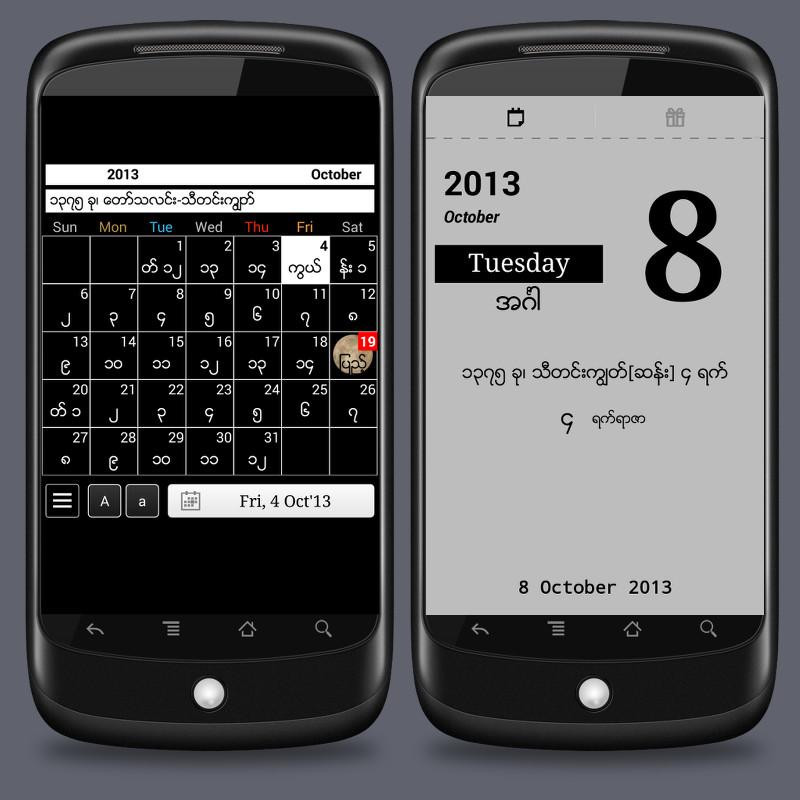
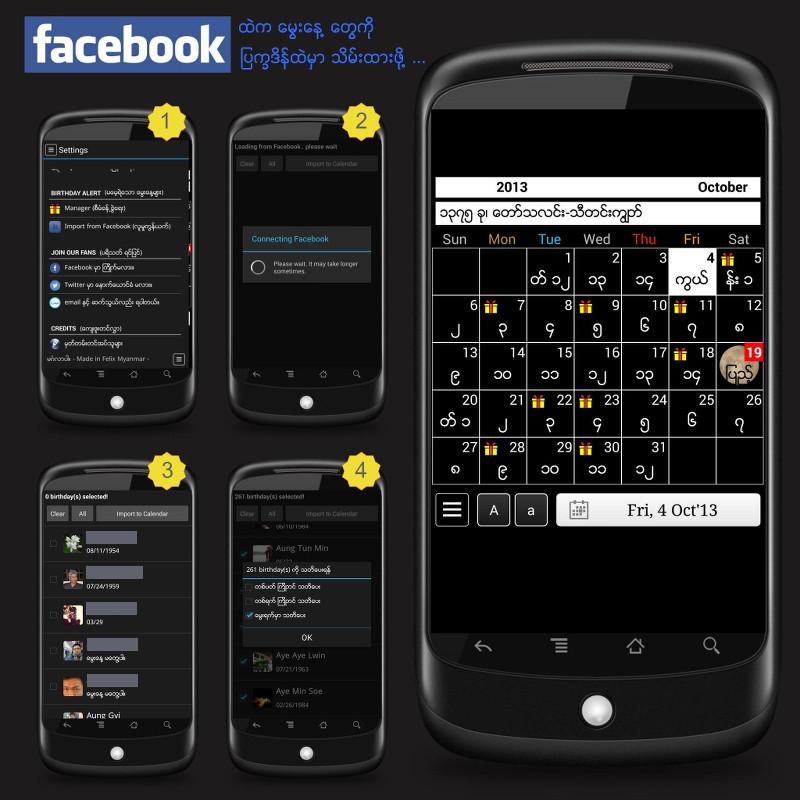
ဒီတစ္ခါ အရမ္းလန္းတဲ့ျပကၡဒိန္ပါ။ ျမန္မာ့ျပကၡဒိန္ပါ။ ျမန္မာသကၠရာဇ္လည္းပါတယ္ဗ်။ ၁၉၀၁ ကေန ၂၀၁၆ ထိရွိပါတယ္။ အဲ့ဒီေတာ့ ေနာက္ထပ္ ၃ႏွစ္အထိရွိတာေပါ့။ Facebook ကသူငယ္ခ်င္းေမြးေန႕ေတြကိုလည္း အဲ့ျပကၡဒိန္ထဲမွာသိမ္းထားလုိ႕ရတယ္။ ကြ်န္ေတာ္တုိ႕က ေအးေဆးေပါ့ဗ်။ ေအာက္တုိဘာ ၁၈ရက္ေန႕ထုတ္ပါဗ်။ ပိုၿပီးသိခ်င္ရင္ေတာ့ http://adf.ly/YJVyB မွာဖတ္ၾကည့္ပါ။ ေအာက္ပါအတုိင္းေဒါင္းလုတ္ဆြဲပါ။ အဆင္ေျပပါေစ။


Description


- First Android English Myanmar Calendar for 100 years (from 1901 to 2016.)
- No need to root your device.
- It is Offline Calendar.
- Intuitive navigation with smooth transitions
- Flexible Font Size Adjustment
- Single Day View with details
- Myanmar official Holiday for the month
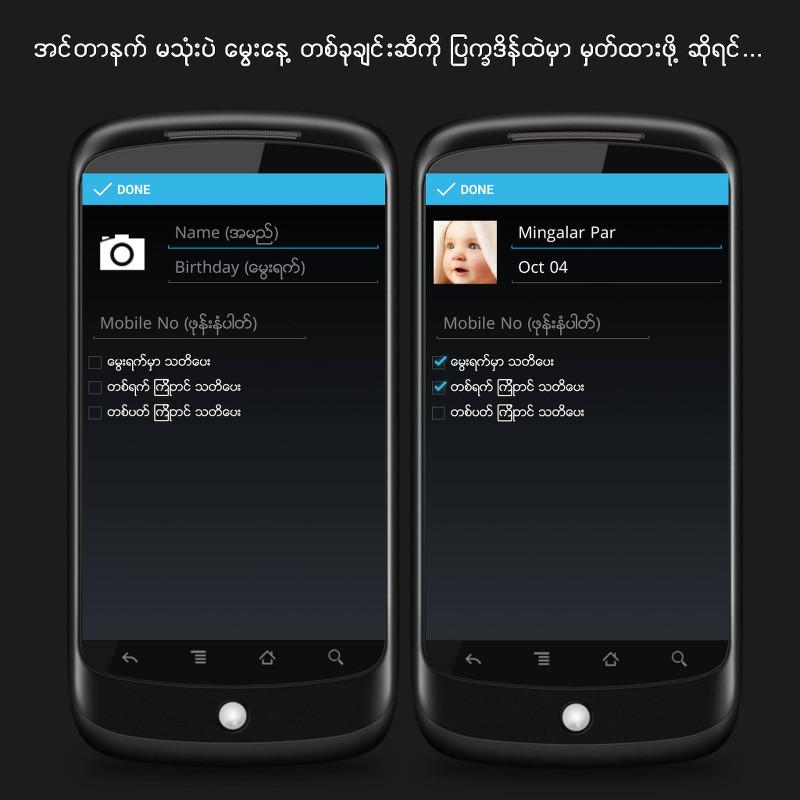
- Save your friends' birthdays on Calendar
P.S. This program is made to our best knowledge. In case if you found any error/problem (especially 2013 onwards), please contact us at MmCalendar2012@gmail.com or Felix Myanmar Facebook (https://www.facebook.com/FelixMyanmar) to feedback. Thanks a lot.


MmYear100 (Myanmar Calendar) - screenshot

MmYear100 (Myanmar Calendar) - screenshot

MmYear100 (Myanmar Calendar) - screenshot

MmYear100 (Myanmar Calendar) - screenshot

MmYear100 (Myanmar Calendar) - screenshot

MmYear100 (Myanmar Calendar) - screenshot 
MmYear100 (Myanmar Calendar) - screenshot

Download => Link 1 / Link 2

Viber v.3.1.15.apk (ေနာက္ဆံုးထြက္ Version)


Cover art
ခုတေလာအရမ္းကို ေခတ္စားၿပီး နာမည္ႀကီးေနတဲ့ Viber latest version ကိုေ၀မွ်ေပးလိုက္ပါၿပီ။ တခ်ိဳ႕ုဖုန္းေတြက Google Play ၀င္လုိ႕မရလို႕ တမင္ share ေပးလိုက္တာပါ။ Free call ပါ။ ပိုၿပီးသိခ်င္ရင္ http://adf.ly/X3Bv4 မွာဖတ္ၾကည့္ပါ။ ေအာက္ပါအတိုင္းေဒါင္းလုတ္ဆြဲလိုက္ပါ။ အဆင္ေျပပါေစ။

Description


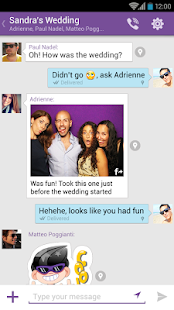
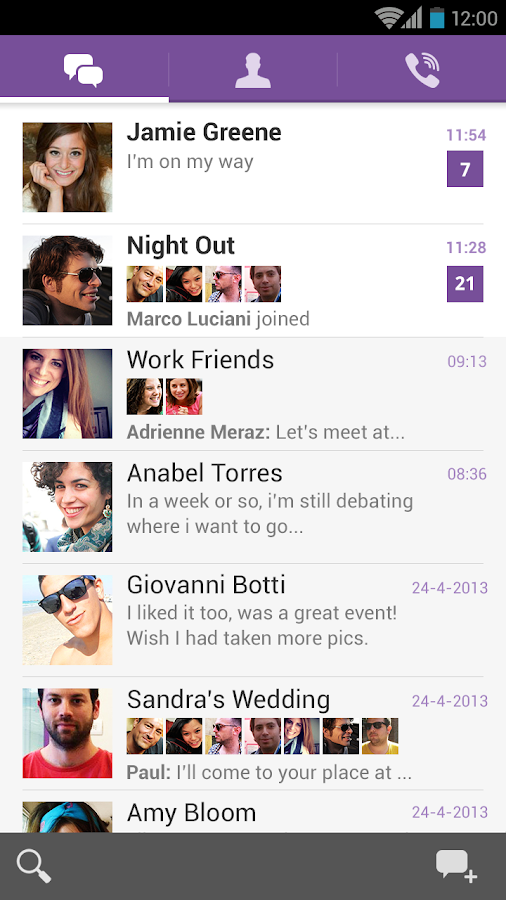
With Viber, everyone in the world can connect. Freely. More than 200 million Viber users text, call, and send photo and video messages worldwide over Wifi or 3G - for free.
Viber is available for many smartphones. On Viber, your phone number is your ID. The app syncs with your mobile contact list, automatically detecting which of your contacts have Viber. • Text with your friends
• Make free calls with HD sound quality
• Groups with up to 40 participants
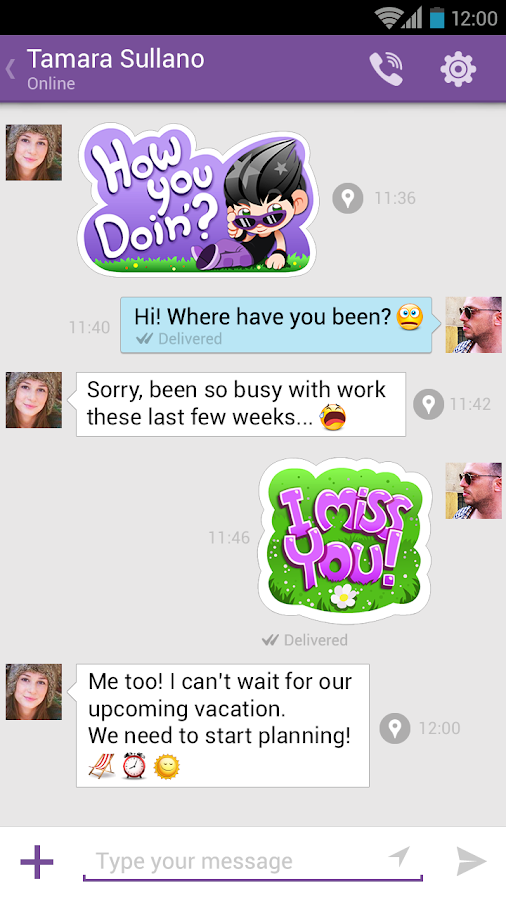
• Send stickers and emoticons, making messaging fun!
• Share photos, videos and locations
• Create and send doodles
• Push notifications guarantee that you never miss a call or message, even when Viber is off
• Respond immediately to messages using quick reply
• OS integration – share photos and videos straight from your device’s gallery
• Designed with the Native Android UI in mind
• Support for the Viber Desktop application on Windows and PC
• No ads and 100% free*
Localized to: Hebrew, Arabic, Chinese (TR), Chinese (SP), Japanese, Russian, German, Spanish, Catalan, Italian, Portuguese (PT), Portuguese (BR), French, Turkish, Swedish, Korean, Dutch, Thai, Malay, Vietnamese, Polish, Hungarian, Czech, Danish, Greek, Finnish, Indonesian, Croatian, Norwegian, Romanian, Slovak, and Ukrainian
Viber is completely free with no advertising. 

Viber - screenshot thumbnail

Viber - screenshot thumbnail

Viber - screenshot thumbnail

Viber - screenshot

Viber - screenshot

Download => Link 1 / Link 2

FULL Free Softwares Download [PYAE THAW].apk ကို Android ဖုန္းမွာ Online နဲ႕၁မိနစ္ေလာက္ဖြင့္ၿပီး Offline ျဖင့္ ဖတ္ရွုလို႕ရမည္


(5/10/2013)ဒီေန႕ထုတ္လိုက္တဲ့ android apk ေလးမွာ Pyae Thaw တင္သမွ်ပိုစ့္ေတြကို သင့္ Android ဖုန္းေပၚမွာ အလြယ္တကူၾကည့္လို႕ရၿပီဆုိတဲ့သတင္းေကာင္းေလးပါ။ FULL Free Softwares Download  လုိ႕နာမည္ေပးထားပါတယ္။ File Size ကေတာ့ 2.1Mb ေလာက္ရွိၿပီး Sync လုပ္လုိက္ရင္ေတာ့ Offline ျဖင့္ၾကည့္ရွဳ႕နုိင္မွာ ျဖစ္တဲ့အတြက္ Total အားလုံးကုိေတာ့ 5MB ေက်ာ္နုိင္ပါတယ္။

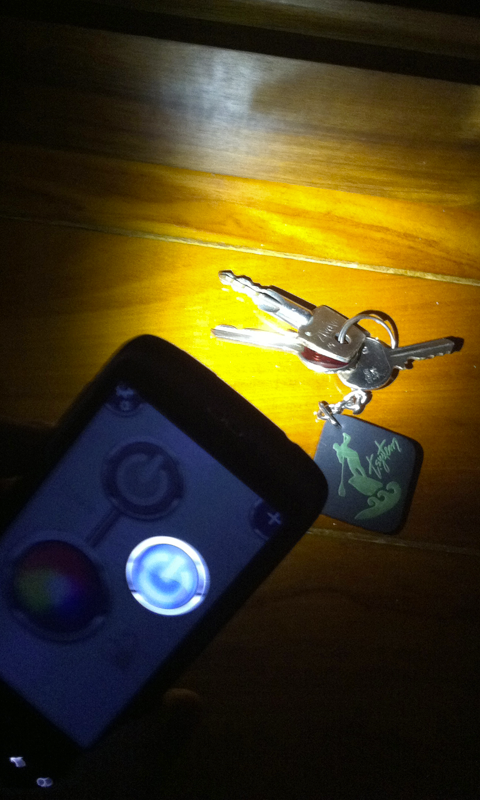
ကြ်န္ေတာ့္ဖုန္းက Screenshot ရိုက္လို႕မရတဲ့အျပင္ကို Root မလုပ္ထားေတာ့ ကြ်န္ေတာ့္ iPhone ေပၚကေန ဓာတ္ပံုရိုက္ၿပီး ျပေပးလုိက္ပါတယ္။


အသံုးျပဳနည္း


-FULL Free Softwares Download.apk ေလးကုိ ဖြင့္တုိင္း Auto Sync မလုိခ်င္ဘူးဆုိရင္ (Setting) Button ကုိနုိပ္ၿပီး Synchronization ထဲကုိ၀င္ပါ ၿပီးရင္ မိမိမလုိခ်င္တဲ့ ဟာကုိ အမွန္မျခစ္ပါနဲ႔။ မိမိ သုံးေနတဲ့ Internet Speed ကုန္းသြားမွာဆုိလုိ႔ ေျပာတာပါ။ Internet Line / Wifi Line ေတြရွိၿပီး ပုိ႔(စ္) အသစ္ေလးမ်ားလုိခ်င္ပါက Sync_Now Button ကုိ နုိပ္ေပးရပါမယ္။

Download ဆြဲရန္ (ေအာက္ပါႏွစ္သက္ရာလင့္ကိုယူ)


အဆင္မေျပရင္ ေျပာခဲ့ပါ။ လင့္ေတြျပင္ျပင္ေပးပါ့မယ္။ မရတာကေတာ့ အဲ့ဒါေတြပါပဲ။ အႀကိဳက္ခ်င္းမတူလို႕ အႀကိဳးစားခံၿပီးတင္ေပးထားပါတယ္။ Zippyshare နဲ႕ Sharebeast ကအခ်ိန္မေရြးလင့္ေသသြားႏိုင္ပါတယ္။ ဒါေၾကာင့္ ျပန္တင္ဖို႕ လံုး၀အကူအညီမေတာင္းပါနဲ႕ ျပန္မတင္ေပးပါ။ :) Download ဆြဲနည္းမသိက ဒီမွာ ဖတ္ပါ။ အဆင္ေျပရင္ေတာ့ ေၾကာ္ျငာေလးေတြကို ကလစ္ေပးျခင္းျဖင့္ ေက်းဇူးဆပ္ေစလိုပါတယ္။

Genius Scan+ - PDF Scanner v1.3 APK

Android ဖုန္းေတြေပၚမွာ  email နွင္ ့JPEG or PDF documents  ေတြကိုအေကာင္းဆံုး scan လုပ္ေပးနိုင္မဲ ့ genius scan pocket ေလးကိုအားလံုးပဲအသံုးျပဳလို ့ရေအာင္ျပန္လည္မ်ွေဝေပးလိုက္ပါတယ္။ Google Play Store မွာေတာ့ €1.66 ျဖစ္ၿပီး ဒီမွာေတာ့ Free ပါ။ အတိအက်သိခ်င္ရင္ http://adf.ly/UtWYE မွာ ပိုဖတ္ၾကည့္ပါ။ ဒီေကာင္ေလးကိုအသံုးျပဳမယ္ဆိုရင္ေတာ ့
android version 2.2 နွင္ ့အထက္မွာအသံုးျပဳလို ့ရျပီးဖိုင္ဆိုဒ္ကေတာ ့ 6 mb ထဲပါခင္ဗ်ာ။အားလံုးပဲအသံုးလိုမယ္လို ့ေမ်ွာ္လင္ ့ပါတယ္။ေအာက္မွာေဒါင္းယူလိုက္ပါခင္ဗ်ာ။
Description
Genius Scan+ is a scanner in your pocket. It enables you to quickly scan documents on the go and email the scans as JPEG or PDF with multiple pages.

In addition, Genius Scan+ integrates with Box, Dropbox, Evernote or any other cloud service app installed on your Android phone to let you export your scans wherever you want.

The Genius Scan scanner technology includes smart page detection, perspective correction, image post-processing. Typically, when you take a photo of a picture, you are not perfectly aligned and the light is not perfect. Genius Scan takes care of that for you.

Still not convinced? Genius Scan has more than 10 million users and has been featured multiple times.

But first, the key features (aka.: what makes this scanner different from the camera)
- Detects page frame and corrects perspective
- Enhances the scan with color or black-and-white post-processing
- Emails the scans as JPG or PDF
- Creates PDF documents with multiple scans
- Export documents to any app supporting JPG or PDF files
- Documents are processed on the phone, not sent to a third-party server

Wondering how our users use Genius Scan? 


Download => Link 1

Bagan Keyboard Pro Version 1.5.8 APK

Android ဖုန္းပိုင္ဆုိင္သူေတြအတြက္ Bagan Keyboard Pro Version 1.5.8 ဆုိတဲ့ေနာက္ဆံုးေပၚ ဗားရွင္းပါ။  ပိုသိခ်င္ရင္ေတာ့ မွာ http://adf.ly/UtLlJ အတိအက်ဖတ္ၾကည့္ပါ။ အဆင္ေျပပါေစ။ Bagan Keyboard ကအရမ္းေကာင္းပါတယ္ဗ်။


Bagan Keyboard Pro Version 1.6.8 ထြက္ရွိပါျပီခင္ဗ်ာ။ Google Play Store ႏွင္႔ Kanaung Store တို႕တြင္ အခမဲ႕ ေဒါင္းလုပ္ရယူႏုိင္ပါျပီ။ ယခု Version တြင္

၁။ Jelly Bean OS သံုး ဖုန္းမ်ားတြင္ ရွိေသာ စာလံုးမမွန္သည္႕ ျပႆနာမ်ားကို ေျဖရွင္းထားပါသည္။

၂။ Unicode ျဖင္႔ေရးလိုသူမ်ားအတြက္ Unicode ပါ၀င္ပါသည္။

၃။ Keyboard ၏ စာလံုးမ်ားကို မူလထက္ အနည္းငယ္ ထပ္မံၾကီးထားပါသည္။

၄။ Keypad ၾကီးၾကီး ရိုက္လိုသူမ်ားအတြက္ Keyboard Size ကို စိတ္ၾကိဳက္ခ်ိန္ႏုိင္ေအာင္ Setting ထဲတြင္ ထည္႕သြင္းထားျပီးျဖစ္ပါသည္။

၅။ စာလံုးဖ်က္ရန္ အတြက္ Cursor ကို အဆင္ေျပေအာင္ ျပဳလုပ္ေပးထားပါသည္။ (Space Bar ကို ႏွစ္စကၠန္႕ခန္႕ႏိွပ္ပါ။)

ယခင္ Feature မ်ားအျဖစ္

၆။ ျမန္မာစာလံုး အားလံုးကို ထည္႕သြင္းျပီးျဖစ္ပါသည္။ (စာလံုးဆင္႔မ်ားအတြက္ ကီးဘုတ္ အလည္တြင္ရွိေသာ ~ ကီးကိုသံုးပါ)

၇။ အသံျဖင္႔ အဂၤလိပ္စာ ေရးသားျခင္း ျပဳလုပ္ႏုိင္ျပီျဖစ္ပါသည္။

၈။ ျမန္မာစာလံုးမ်ားအတြက္ Auto Complete Features ပါ၀င္ပါသည္။

၉။ မိမိ မၾကာခဏ ရိုက္လုိက္ေသာ စာလံုးမ်ားကို Auto Learn လုပ္ေပးေသာ စနစ္ပါ၀င္ေသာေၾကာင္႔ စာေရးသားရာတြင္လြယ္ကူပါသည္။

၁၀။ မိမိမွတ္သားလိုေသာ စာလံုးမ်ားကုိလဲ မွတ္သားထားျပီး Auto Complete List ထဲတြင္ ထည္႕သြင္းထားျခင္းျဖင္႔ စာရိုက္ရာတြင္ မွန္ကန္ ျမန္ဆန္ လြယ္ကူေစပါသည္။

၁၁။ - ါ ေရးရန္မလိုပဲ -ာ ကိုေရးရံုျဖင္႔ Auto ေျပာင္းေပးေသာ Smart Zawgyi Feature ပါ၀င္ပါသည္။ ( "ပါ" ကို ေရးလိုပါက "ပ + - ာ" ဟုေရးပါ Auto "ပါ" ဟု ေျပာင္းသြားပါမည္။)

၁၂။ Double Tap Feature ပါ၀င္ေသာေၾကာင္႔ စာလံုးအေပၚတြင္ အျပာေရာင္ စာလံံုးရွိေသာ ခလုပ္မ်ားကို ႏွစ္ခ်က္ ဆင္႔ႏွိပ္ပါက Shift ႏွိပ္စရာမလိုပဲ ရိုက္ႏုိင္ပါသည္။ (ဥပမာ- "ရ" ကို ရိုက္လိုလွ်င္ "၇" ကို ႏွစ္ခ်က္ႏွိပ္ပါ။)

ထုိ႕အျပင္ -

၁၃။ အဆင္မေျပမွုမ်ားအတြက္ Email ပို႕၍ေသာ္လည္းေကာင္း၊ ယခု Post တြင္ Comment ေပး၍ေသာ္လည္းေကာင္း၊ Google Play Store တြင္ Comment ေပး၍ ေသာ္လည္းေကာင္း ေျပာၾကားႏိုင္ပါသည္။ အတတ္ႏုိင္ဆံုး အျမန္ဆံုး ေျဖရွင္းေပးသြားပါမည္။

၁၄။ ပိုမိုေကာင္းမြန္ေအာင္ Version အသစ္မ်ားတြင္ ထည္႕သြင္းလိုသည္မ်ားကို အၾကံျပဳ ေတာင္းဆိုႏုိင္ပါသည္။

၁၅။ အခမဲ႕ Share/Download ျပဳလုပ္ႏုိင္ပါသည္။

၁၆။ ကြ်န္ေတာ္တို႕၏ ၾကိဳးစားအားထုတ္မွုကို အသိအမွတ္ျပဳပါက Playstore တြင္ Rating မ်ား ေပးျခင္းျဖင္႔ ကူညီႏိုင္ပါတယ္ခင္ဗ်ာ။

 New Feature For Version 1.5

- Typographic Correction (Smart Zawgyi)
- Read/Write fixes for Jelly Bean Devices
- Suggestions renewed
- Quick Subscript Key added
- Swipe up to SHIFT
- Double Tap for commonly used Shifted Characters

Download => Link 1

FlashLight HD LED Pro v1.57 APK

August 27 ရက္ေန႕တုန္းက update လုပ္ထားတာေလးပါ။ Android ဖုန္းပိုင္ဆုိင္ထားသူေတြအတြက္ ဓာတ္မီး ေဆာ့၀္လ္ပါ။ Google Play မွာေတာ့ $3.04 ျဖစ္ၿပီး ဒီမွာေတာ့ Free ပါ။ http://adf.ly/UqtZ6 မွာ အခ်က္အလက္အျပည့္အစံုဖတ္ၿပီး ေအာက္ပါအတုိင္းသာ ေဒါင္းလုတ္ဆြဲလိုက္ပါ။
https://lh4.ggpht.com/xHVPFg-DLlQ9EEzwqSiD0NTBoF-trkDt9JHHhhUrwk17qToiMuG4q_0nxY8KUzq97wc=w300
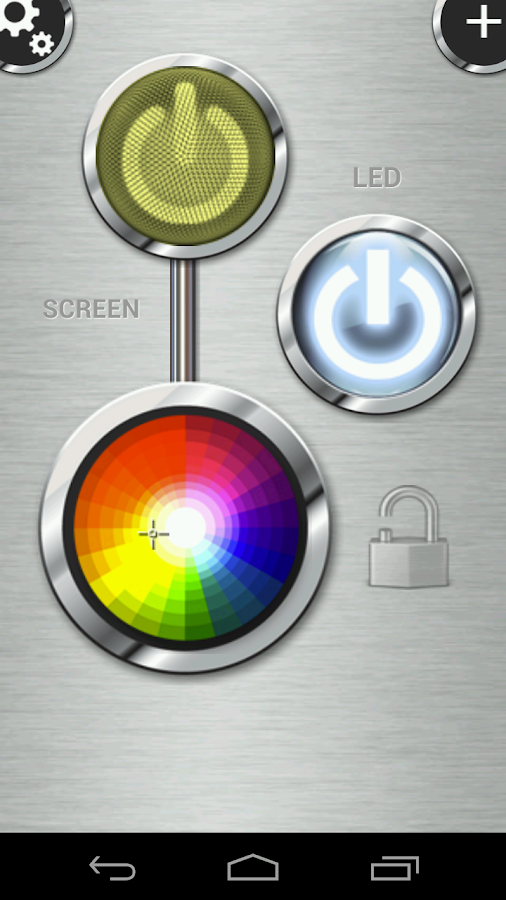
Use your Android device as a torch with this beautiful app!
There are many flashlight apps out there, so why get this one ?


It is simple and well designed
launch it and get light instantly by pressing one button
uses the integrated FlashLight
also uses your full screen as a light source (works on all devices)
add a widget for quick accessTry it. It's simply the best at what it does.


What's in this version : (Updated : Aug 27, 2013)

NEW: shows battery level
Redesigned settings
Better Test Tool UI
Various compatibility and stability fixes
Required Android O/S : 2.1+


Screenshots :
FlashLight HD LED Pro - screenshot 
FlashLight HD LED Pro - screenshot

Download => Link 1

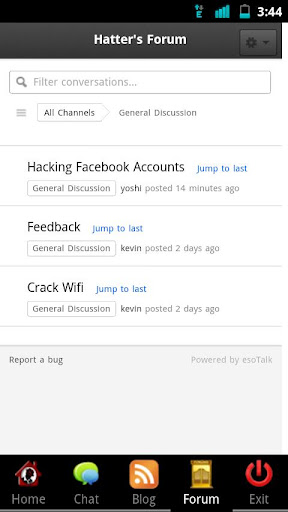
Hackers Home Pro v2.1 APK

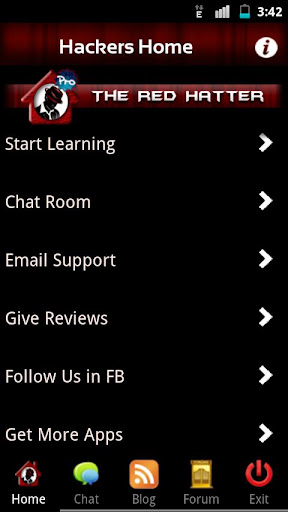
Hacker's Home :- ★ A Complete Hacker's Handbook ★ 

ဟက္ကာေတြလည္းေနာက္ဆုိရင္ Android ဖုန္းေပၚမွာ ဟက္ကင္းေလ့လာလို႕ရပါၿပီ။ Android ဖုန္း Version က 2.2 နဲ႕အထက္ရွိရပါမယ္။ အတိအက်သိခ်င္ရင္ေတာ့ ဆက္ဖတ္ၾကည့္ေပါ့။ ေဒါင္းလုတ္ဆြဲလိုက္ပါဦးဗ်ာ။

Hackers Home Pro v2.1
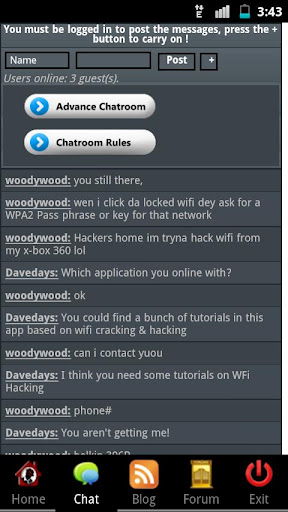
Hacker’s Home is the 1st android app ever in the Google Play Store which includes tons of stuffs relating Hacking Computer, Wi-Fi, Website, Facebook, Emails with step by step tutorials and with live chat functionality which let you stay tuned with the hackers all around the globe.
This is the Pro Version of Hackers Home which contains More Bunch of tutorials about : 
  • Computer Hacking
  • WiFi Hacking
  • Instant Facebook Hacks Tutorial
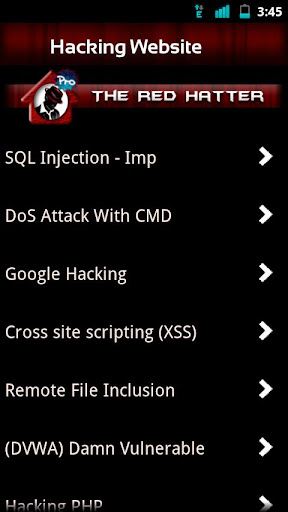
  • Hacking Website
  • Email Hacking
  • Protect Yourself
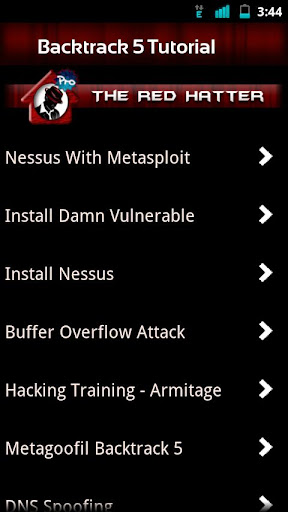
  • Backtrack 5 tutorials
  • Windows Tricks and Hacking
  • Regular updates 
  • Ads Free
  • More Amazing Stuffs
Wanna learn to hack? Let us show you how!

Note: - This Application is only for education purpose and is 100% safe. This application is designed by the developer for the reference only.

This App Contains Step by step 1,730 Tutorials, Some of the list are as Follows :
  • Protect Your own accounts from being hacked
  • Strong your own security
  • Use your android phone to gain access to facebook, youtube, twitter, amazon accounts
  • Hack Websites with SQL injection and other methods
  • Hack Gmail, Yahoo & Msn Accounts
  • Crack Wifi WEP and WPA passwords
  • Gain access to e-mail accounts
  • Hack Facebook accounts
  • Bypassing school security
  • Speed up your internet connection on ps3, xbox, PC, or mac
  • Hacking websites with SQL injection
  • Hacking and cracking Wi-Fi by bypassing securities
  • Speed up your internet and optimize your PC
  • Setup Backtrack 
  • Backtrack 5 Tutorials
  • Some Interesting Windows Tricks
  • Password Cracking Tutorials
  • How to create Viruses
  • Video Tutorials
  • + Many More
What's in this version: (Updated : Sep 8, 2012)
  • Minor Bug Fixed
  • More Tutorial will be add soon
  • Next Update will be on 29th September
Required Android O/S : 2.2+
Screenshots :


Download => Link 1 / Link 2 / Link 3
ေ၀မွ်သူ : www.pthaw.blogspot.com

Android သုံးသူမ်ားအတြက္ သိသင့္သည့္ Code မ်ား

Backup လုပ္ရန္
*#*#273283*255*663282*#*#* -  {Backup လုပ္ရန္}


Service mode သို႔၀င္ရန္
*#*#197328640#*#* - {Service Mode သို႔၀င္ရန္}


Reset လုပ္ရန္
*2767*3855# –  {Factroy reset လုပ္ရန္}
 (မွတ္ခ်က္ - reset လုပ္လွ်င္ မွတ္ထားေသာ အေၾကာင္းအရာမ်ား၊ setting မ်ား အကုန္ပ်က္မည္။)


*#*#7780#*#* - {Factory Data reset လုပ္ရန္}
(မွတ္ခ်က္ - Factory Data reset ျပဳလုပ္လွ်င္ ဖုန္းထဲရွိ Google Account setting၊ install လုပ္ထားေသာ application၊ phone memory ထဲတြင္ သိမ္းထားေသာ ဖုန္းနံပါတ္မ်ား၊ ဖုန္းထဲတြင္ Download ၿပီး ဖုန္း memory ထဲတြင္ သိမ္းထားေသာ game & application အားလုံးပ်က္မည္။)


Phone information ပုိင္းၾကည့္ရန္
*#*#4636#*#*- {battery information & history, phone information, usage statistics}

Android Phone မ်ားအတြက္ လွ်ိဳ႕၀ွက္ Test Code မ်ား

  • *#*#0588#*#* – {Proximity sensor test}
  • *#*#2664#*#* – {Touch screen test}
  • *#*#2663#*#* – {Touch screen version}
  • *#*#0*#*#* – {LCD test စမ္းရန္}
  • *#*#0842#*#* – {Device test (Vibration test and BackLight test)}
  • *#*#3264#*#* – {RAM version စစ္ရန္}
  • *#*#0283#*#* – {Packet Loopback}
  • *#*#232331#*#* – {Bluetooth device စမ္းရန္}
  • *#*#232337#*# – {Bluetooth device address ၾကည့္ရန္}
  • *#*#232338#*#* – {WiFi MAC address ၾကည့္ရန္}
  • *#*#1472365#*#* – {GPS test လုပ္ရန္}
  • *#*#1575#*#* - {GPS test လုပ္ရန္}

Android Phone ထဲက Data ေတြကို အင္တာနက္ကေန လွမ္းဆြဲယူမယ္ :)

အခုေဖာ္ျပေပးမယ့္နည္းကေတာ့ Android Phone ထဲက Data ေတြကို အင္တာနက္ကေန လွမ္းဆြဲတဲ့နည္းေလးျဖစ္ပါတယ္ခင္မ်..ဘယ္လိုလုပ္မလဲၾကည့္
လိုက္ၾကရေအာင္..
သင့္ဖုန္းထဲက ဓာတ္ပံုေတြကို အြန္လိုင္ကေနတိုက္ရိုက္ ေဒါင္းလုပ္ဆြဲမယ္
အရင္ကေတာ့ ကၽြန္ေတာ္တို႕ အေ၀းေရာက္ေနတဲ့ ကိုကို၊ မမ ေတြ
အိမ္က မိဘ ေဆြမ်ိဳးေတြဆီဓာတ္ပံုပို႕ခ်င္ရင္ E-mail ကေနတဆင့္
ပို႕ၾကရပါတယ္။ အခုေတာ့ E-mail ကိုေတာင္သံုးစရာမလိုေတာ့ဘူးဗ်
အင္တာနက္ေကာ္နပ္ရွင္ရွိၿပီး Wifi File Explorer ဆိုတဲ့ Android Software
ေလးရွိရံုျဖင့္ ဖုန္းထဲကို အြန္လိုင္းကေနတိုက္ရိုက္ ၀င္ေရာက္ၾကည့္ရႈ
ေဒါင္းလုပ္ဆြဲလို႕ရပါၿပီကဲ စလိုက္ၾကရေအာင္လားဗ်ာ…
အရင္ဆံုး လိုအပ္တဲ့ Software က Wifi File Explorer ဆိုတာေလးကို
ေဒါင္းလိုက္ပါ။ၿပီးရင္ေတာ့သင့္ Android Phone ထဲမွာ Install သြင္း
ထားလိုက္ပါ။

ၿပီး၇င္ေတာ့ အဲဒီ WIFI File Explorer ေလးကိုဖြင့္လိုက္ပါ။


ဒါဆိုရင္သူက ဖုန္းနဲ႕လက္ရွိသံုးေနတဲ့ Connection Name နဲ႕
Browser IP Address အပါအ၀င္ Port Number ေလးပါပါလိမ္
မယ္ဗ်။ၾသ သင့္ဖုနး္က အင္တာနက္နဲ႕ ဆက္သြယ္ထားဖို႕ေတာ့လို
မယ္ေနာ္…အခုလို ဖုန္းထဲမွာ ဒီလိုေလး Run ထားတယ္ဆိုရင္
 ျမန္မာႏိုင္ငံအပါအ၀င္ ကမၻာေပၚရွိ မည္သည့္ႏိုင္ငံ ကေနမဆို သင့္
 ဖုန္းထဲကို အင္တာနက္ကေနတဆင့္ ၀င္ေရာက္ၾကည့္ရႈလို႕ရပါၿပီ
ေနာက္ထပ္လုပ္ေဆာင္ခ်က္ကေတာ့ ကြန္ပ်ဴတာကေနလုပ္ေဆာင္ရ
မည့္လုပ္ေဆာင္ခ်က္ေတြပါ။အရင္ဆံုး Browser တစ္ခုခုကိုဖြင့္လိုက္
ပါၿပီးရင္ ေအာက္ပါေဖာ္ျပပါပံုအတုိင္း Address Bar ေလးမွာ
သင့္ဖုန္းထဲက Browser IP Address 192.168.1.3:8000
ဆိုတာေလးကို ရိုက္လိုက္ပါ


ၿပီးရင္ေတာ့ Enter ေခါက္လိုက္ပါ။ေအာက္ပါပံုအတုိင္းေပၚလာမွာျဖစ္ပါတယ္


 ထိုအထဲကေနမွ မိမိယူခ်င္တဲ့ Data ရွိတဲ့ေနရာယူသြားၿပီး
မိမိလိုခ်င္တဲ့ Data ကို တိုက္ရိုက္ ေဒါင္းလုပ္ဆြဲလို႕ရ ပါၿပီ။
 အကယ္လို႕သင္က သင့္ဖုန္းကို အြန္လိုင္းကေနလွမ္္းၿပီး
Access လုပ္တာကို Security ပိုင္းနဲ႕ လုပ္ခ်င္တယ္ ဆိုရင္
သင့္ဖုန္းထဲမွာလုပ္ရမွာက WIFI File Explorer ကိုဖြင့္ထား
တဲ့အခ်ိန္မွာ သင့္ဖုနး္ကေန Menu ကိုတစ္ခ်က္ႏွိပ္လိုက္ပါ
ေအာက္ပါပံုအတိုင္းေပၚလာပါလိမ့္မယ္


အဲဒီထဲကမွ Setting ကို၀င္လိုက္ပါ


Require Password ဆိုတဲ့ေနရာမွာ အမွန္ျခစ္ေလးျခစ္ေပး
လိုက္ၿပီး ဒုတိယစာေၾကာင္းျဖစ္တဲ့ Password ဆိုတာကို၀င္
လိုက္ပါ ေအာက္ပါပံုအတိုင္းေပၚလာရင္ မိမိ ေပးခ်င္တဲ့
Password ကိုေပးထားလိုက္ပါ။


ဒါဆိုရင္ သင့္ဖုန္းထဲကို အင္တာနက္အြန္လိုင္းကေနတဆင့္
၀င္မယ္ဆိုရင္ Password ေတာင္ပါလိမ့္မယ္ ေအာက္ပါပံုအ
တိုင္းေပ့ါ..

လိုအပ္တဲ့ WIFI Explorer ေလးကိုေတာ့ ေအာက္မွာေဒါင္းႏိုင္ပါၿပီ..   
အားလံုးကိုတတ္ႏိုင္သမွ် အေကာင္းဆံုးကူညီေပးေနမယ့္ Myanmar IT Helper (www.mmithelper.com )

Download => Link 1 / Link 2 /


အဆင္ေျပပါေစ..

ကြန္ပ်ဴတာရဲ႕ အင္တာနက္ ကို USB နဲ႔ခ်ိတ္ၿပီး ဖုန္းနဲ႔ သံုးနည္း

ကြန္ပ်ဴတာရဲ႕ အင္တာနက္ ကို USB နဲ႔ခ်ိတ္ၿပီး ဖုန္းနဲ႔ သံုးနည္း
 အရင္ကတင္ေပးထားခဲ့ဘူးပါတယ္......ျပန္တင္ေပးလုိက္တာပါ.....
လိုအပ္ခ်က္ေတြ ကေတာ့
1.PC ( Personal Computer ) မွာ အင္တာနက္ ခ်ိတ္ထား ရပါမယ္..
2. မိမိ အသံုးျပဳမယ့္ Android Phone ဟာ Root ေဖာက္ၿပီးသား ျဖစ္ရပါမယ္..
3. မိမိဖုန္းနဲ႔ ခ်ိတ္ဆက္မယ့္ USB ႀကိဳးဟာ ေကာင္းမြန္ မွန္ကန္ေနရမွာ ျဖစ္ပါတယ္..
လုပ္နည္း
1. မိမိဖုန္းမွာ USB Debugging ကို On ထားရမွာ ျဖစ္ပါတယ္... သာမန္အားျဖင့္ Settings>> 
Application >>Development>>USB Debugging မွာ အမွန္ျခစ္ ရပါတယ္.. Android 4.2 ႏွင့္ 
အထက္ သမားေတြ ကေတာ့ ဒီမွာ ဖတ္ၾကည့္ပါ...
2. မိမိဖုန္းနဲ႔ ကိုက္ညီတဲ့ Driver ကို PC မွာ Install လုပ္ပါ... မရွိရင္ ဒီမွာ ေဒါင္းပါ... Driver Install 
လုပ္ၿပီး ရင္ေတာ့ ဖုန္းနဲ႔ ကြန္ပ်ဴတာကို USB သံုးၿပီး ခ်ိတ္ဆက္ လုိက္ပါ...

3. ေအာက္မွာ ေပးထားတဲ့ လင့္ တစ္ခုခုကေန ဖိုင္ကို ေဒါင္းလိုက္ပါ.. တစ္ခုက ေဒါင္းရင္ရပါၿပီ...

4. ေဒါင္းလို႔ ရလာတဲ့ ဖိုင္ကို ျဖည္လိုက္ပါ... အဲဒီထဲက Android ပံုေလးနဲ႔
 Android Tool.exe ကို Run လိုက္ပါ...
5. ေပၚလာတဲ့ ေဘာက္မွာ Select Device ဆိုတဲ့ အကြက္ကို ႏွိပ္ၿပီး ကိုယ့္ဖုန္း 
အမ်ဳိးအစားကို ေရြးေပးပါ... 
မေတြ႕ေသးရင္ Refresh ကိုႏွိပ္ပါ... (ဒါမွ မေတြ႕ရင္ေတာ့ Driver ျပန္တင္ပါ.. Driver မသိလို႔ပါ) 
ကိုယ့္ဖုန္းကို သိၿပီဆိုရင္ Connect ကိုႏွိပ္လိုက္ပါ... လိုအပ္တဲ့ ဖိုင္ေတြကို Install လုပ္ေန ပါလိမ့္မယ္..
 6. ခဏ ၾကာရင္ေတာ့ မိမိရဲ႕ဖုန္းမွာ SuperUser Request ေတာင္းတာကို ျမင္ရပါလိမ့္မယ္.. Remember 
ကို အမွန္ျခစ္ၿပီး Allow ကို ႏွိပ္ေပးလိုက္ပါ..
7. အားလံုးၿပီး သြားရင္ေတာ့ ဖုန္းကေန ကြန္ပ်ဴတာရဲ႕ Internet ကို ယူသံုးလို႔ ရပါၿပီ ခင္ဗ်ာ...
တစ္ခ်ဳိ႕ အခက္အခဲ ေတြ႕ႏိုင္ပါတယ္... ေသေသခ်ာခ်ာ လုပ္ၾကည့္ပါ.. အဆင္ေျပပါတယ္. ဒါလုပ္ၿပီး 
သြားရင္ ေတာ့ ကိုယ့္ဖုန္းကေန Wi-Fi နဲ႔ေတာင္ ျပန္လႊင့္ ႏိုင္ပါေသးတယ္... 

အဆင္ေျပၾက ပါေစခင္ဗ်ာ..ျမ၀တီ နည္းပညာဆိုက္ .. myawaddy.com.mm မွ ကူးယူေဖာ္ျပပါသည္၊
အဆင္ေျပပါေစဗ်ာ

မိမိဖုန္းနံပါတ္ကုိေဖ်ာက္၍ ဖုန္းေခၚနည္း (for andriod phone)


မိမိရဲ႕ဖုန္းနံပါတ္ကုိေဖ်ာက္၍ ဖုန္းေခၚနည္းေလးပါ...။အသံုးလိုတဲ့သူသံုး နိုင္ေအာင္လို႕ တင္ေပးလိုက္ပါတယ္..။ personal call, secret call အစရွိတဲ့ ေခၚဆိုမႈေတြမွာ ကို႕ဖုန္းနဲပါတ္ကို မသိေစခ်င္ပဲ ေဖ်ာက္ထားလို႕ရပါ တယ္..။
ဘယ္လိုလုပ္မလဲ ဆိုရင္ေတာ့ ကဲစလိုက္ရေအာင္.....
  • ပထမဦးဆံုး ေအာက္မွာေပး ထားတဲ့ ေဆာ၀ဲႏွစ္ခု ကိုေဒါင္းလိုက္ရေအာင္...။
  • ေဒါင္းယူျပီးရင္ ေဆာ၀ဲႏွစ္ခုကို ဖုန္းတြင္ inslall ပါ.....။
  • ျပီးရင္ ဖုန္းကို reboot (restart) လုပ္ပါ....။
  • ဖုန္းျပန္ပြင့္လာရင္ screen မွာရွိတဲ့  Hide Caller ID ကိုဖြင့္လိုက္ျပီး enabled နဲ႕ show icon ကုိ အမွတ္ျခစ္ေပးပါ....။
  • and contact number ကိုႏွိပ္ျပီး add လုပ္မဲ့ဖုန္းနံပါတ္တစ္ခု ဒါမွမဟုတ္ ဖုန္းထဲက နံပါတ္အားလံုး ထည့္ေပးလိုက္ပါ ....။
  • add မလုပ္ထားတဲ့ ဖုန္းနံပါတ္ကိုေခၚရင္ hide လုပ္မွာလား show လုပ္မွာလားေမးလာပါမယ္..။ ကိုအသံုးျပဳတဲ့အတိုင္း seleat လုပ္ပါ...။
screenshots ေလးျပထားပါတယ္...။


ဒီေလာက္ဆို သူငယ္ခ်င္းမ်ား နားလည္မယ္လို႕ေမွ်ာ္လင့္ပါတယ္.....။ဒီနည္းေလးကို ကိုေအာင္ ရဲ႕ ဆိုက္မွ ေတြ႕ လို႕ အားလံုးသိေစရန္ရည္ရြယ္ခ်က္ျဖင့္ က်ေနာ္ျပန္လည္မွ်ေ၀ေပးပါတယ္.....။အေသးစိတ္ ကိုေတာ့ ဒီလင့္မွာ ၀င္ေရာက္ေလ့လာနိုင္္ပါတယ္....။
 Features:
 ★ Widget with a maximum of 6 operating modes:
 ★ Hide Caller ID for all calls
 ★ Always submit Caller ID
 ★ Hide Caller ID for next call only
 ★ Hide Caller ID for all calls except for numbers from your phone book (PRO Version)
 ★ Show Caller ID for selected contact groups (PRO Version)

 ★ Widget always shows the selected operation mode
 ★ you can change the GSM-Code prefix
 ★ Notification for the current status can be set up into notification bar
 ★ Visually impaired people with color-blindness can recognize symbols easily
 ★ Admin-UI mit many settings
 ★ clean the call log from the prefixes

Related Posts Plugin for WordPress, Blogger...